What Do DMARC (Authentication) Failures Mean?
Your domain is probably fine. But those failures aren't noise. Here's what they're telling you.
If you've set up DMARC monitoring and started receiving aggregate reports, one of the first things you'll notice is that not every email sent "from" your domain actually came from you. Some of it failed authentication. And your first question is probably: should I worry about this?
The short answer: probably not, but you should understand what you're looking at.
These aren't all forwarding glitches
When most people first see DMARC failures in their reports, they assume it's a technical issue, maybe an email got forwarded, or a marketing tool wasn't configured properly. And sometimes that's true. Forwarding breaks SPF, misconfigured services fail DKIM alignment, and those show up as failures in your reports. Our troubleshooting guide walks through how to identify and fix those.
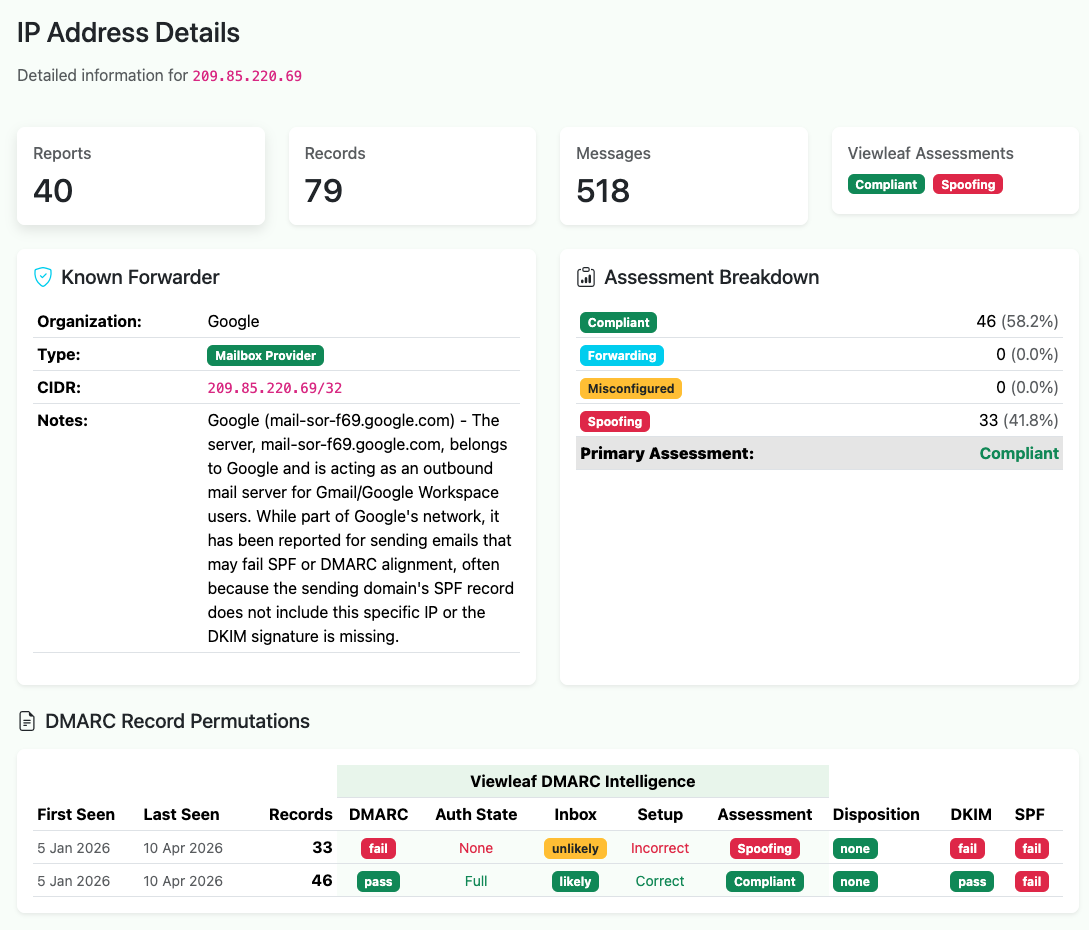
But a meaningful share of the failures you see aren't configuration problems at all. They're other people sending email using your domain name without your permission. Spam, phishing, and spoofing attempts. Mail that claims to be from you but isn't.
This is exactly what DMARC is designed to catch. When a message fails both SPF and DKIM authentication, it almost certainly wasn't sent by anyone you authorized. Someone, somewhere, put your domain in the From line of a message and sent it from an IP address you've never heard of, to recipients you've never contacted.
Why this matters for your deliverability
If you're a business that depends on email reaching inboxes, spoofing against your domain is a direct threat to your sending reputation. Mailbox providers (MBP) track authentication results at the domain level. A high volume of DMARC failures associated with your domain, even if they're not your mail, can affect how your legitimate email is treated.
This is why moving beyond p=none matters. When your DMARC policy is set to none, you're
monitoring but not enforcing. Receiving servers see the failures but still deliver the spoofed messages. Moving to
quarantine or reject tells MBPs to act on those failures. Quarantine sends them to spam,
reject blocks them outright. Your domain stops being a useful vehicle for abuse, and your reputation stays clean
(yes, it's on the MBP admin to decide how to handle policy, but generally..).
Case study: what spoofing looks like for a typical B2B domain
We monitor DMARC data across a number of domains, and the pattern for B2B-focused domains is remarkably consistent. Most of the time, things look fine: your legitimate email providers pass authentication, your pass rate sits above 95%, and your reports are uneventful.
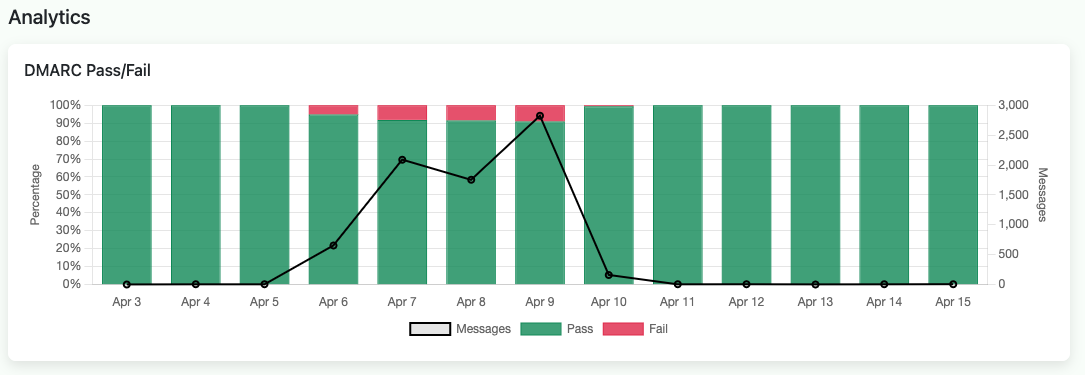
Then, periodically, you'll see a cluster of failures from IP addresses in regions where you have no customers, no employees, and no email infrastructure. A handful of messages from an IP block in Central Asia. A trickle from a hosting provider in South America. An IP in Eastern Europe you've never seen before.
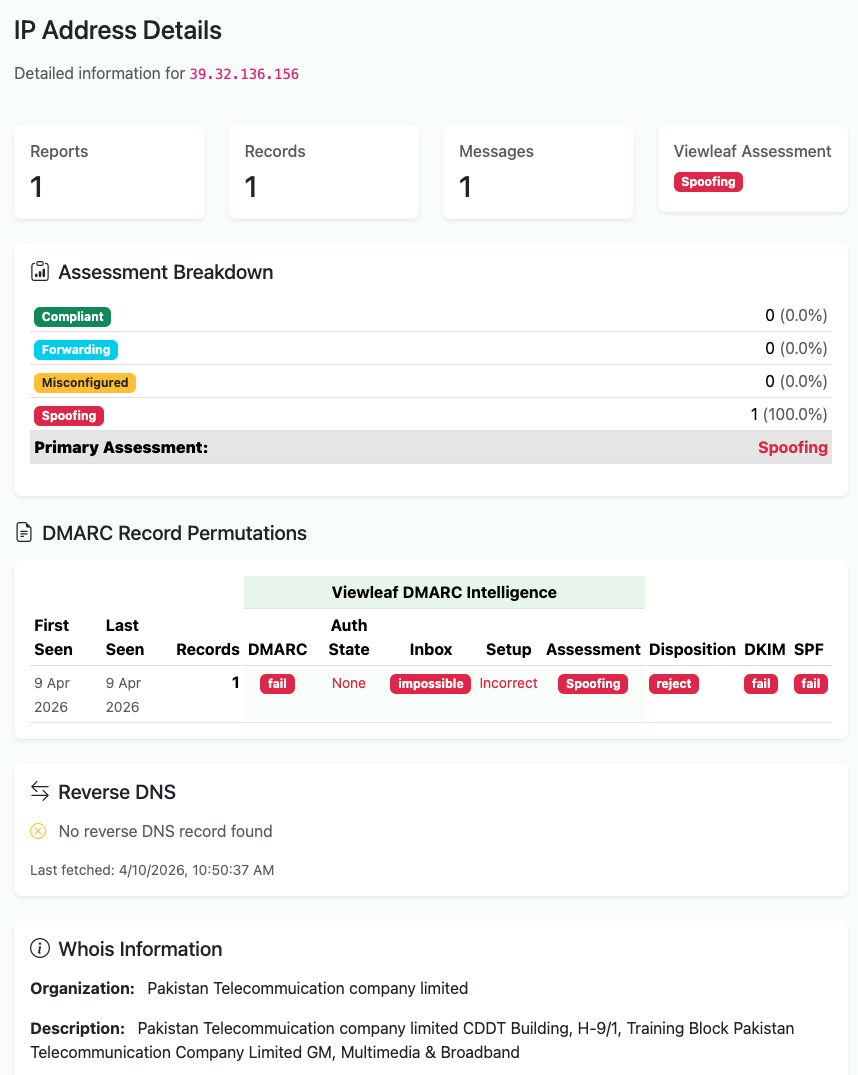
These aren't random. Our sister project sh4meful.com tracks the geography of DMARC failures across domains primarily used for B2B marketing, and the data shows clear patterns: spoofing sources shift over time as operators move infrastructure between regions. The United States used to dominate DMARC failure volume; that's dropped substantially as email providers tightened enforcement. But the activity migrated to new regions, new IP blocks, new hosting providers. The full geographic analysis is worth reading if you want to understand the bigger picture.
For your day-to-day monitoring, the takeaway is simpler: failures from regions you don't operate in are often unauthorized use of your domain, and they confirm your DMARC setup is working as intended. You're seeing the attacks because you're looking. Domains without DMARC monitoring have the same problem. They just don't know about it.
What to do about it
If you're seeing authentication failures and aren't sure what's legitimate misconfiguration versus actual abuse, here's the practical path:
First, identify your known senders. Every service that sends email on your behalf (your email provider, your marketing platform, your CRM, your transactional email service) should be passing both SPF and DKIM with proper alignment. If any of them aren't, that's the configuration issue to fix first. Our step-by-step guide covers exactly how to check each one.
Once your legitimate sources are clean, everything else in the failure column is unauthorized. You don't need to chase down every spoofing IP individually. That's a losing game. What you need is a DMARC policy that tells receivers to handle it for you.
If you're still on p=none, consider moving to p=quarantine. Monitor for a week or two to
make sure nothing legitimate breaks, then move to p=reject. At that point, spoofed mail using your
domain gets blocked before it reaches anyone's inbox. Your domain is no longer useful to spammers, and your sending
reputation is protected.
The reassuring part
DMARC failures in your reports aren't a sign that something is wrong with your email setup. In most cases, they're a sign that something is right. You have visibility into a problem that every domain faces, and you have the tools to shut it down.
The domains that should worry are the ones not monitoring at all.
Viewleaf Signal provides free DMARC monitoring; set up a collector, add it to your DNS, and start seeing who's sending email as your domain. For deeper analysis of global spoofing patterns and DMARC failure intelligence, see sh4meful.com.